

Chick-fil-A Delivery Prices vs In-Store 2026 | Fees, Markups & Savings
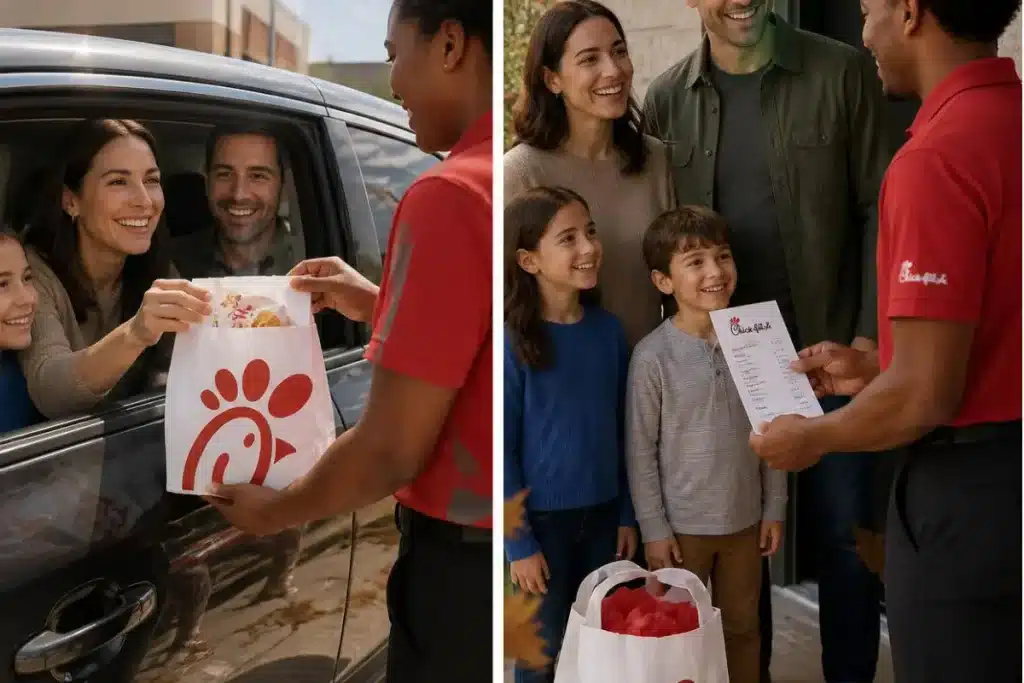
If you’ve ever pulled up the Chick-fil-A app or DoorDash after a long day and wondered why that 30-count nugget tray or classic chicken sandwich suddenly costs more than it does at the restaurant, you’re asking the right question. Delivery is convenient—no traffic, no waiting in the drive-thru line—but it comes with extra charges that add up fast. This isn’t marketing fluff. It’s the actual difference between walking in or hitting the window versus having a Team Member or a DoorDash driver bring it to your door.
Chick-fil-A has been upfront about this for a while now: menu prices for delivery are higher than in-store or pickup, there’s a delivery fee, and extra fees can apply. They even settled a class-action lawsuit a couple years back over how those higher prices were presented. The company didn’t admit wrongdoing, but they agreed to clearer disclosures and paid out about $4.4 million in cash and gift cards (most folks who qualified got around $29.95). Today the app and website spell it out: prices are higher for delivery, availability varies by location, and charges are final.
Let’s break down exactly what you’ll pay, why it costs more, how the app stacks up against DoorDash, and the practical ways to keep the extra spend as low as possible. This is based on current Chick-fil-A practices, customer reports, and the way third-party apps actually work.
How Chick-fil-A Delivery Actually Works (Team Member vs. Partners)
Chick-fil-A offers two main ways to get food delivered:
- Chick-fil-A Team Member delivery: Available at a growing number of restaurants. A local Team Member from that location brings your order. This is the “made with care, the Chick-fil-A way” option they promote. Quality and handling tend to be more consistent because it’s their own people.
- National delivery partners: DoorDash, Uber Eats, and sometimes others, depending on the location. These use gig drivers.
You start by opening the Chick-fil-A App (recommended) or going to chick-fil-a.com, entering your address, and seeing what’s available. The app will show you the options near you. Delivery radius is limited—usually a few miles from the restaurant. If you’re outside it, you won’t see the option.
Important local note: Availability is not nationwide yet and changes by city and even by specific restaurant. In bigger metros like Atlanta, Dallas, Houston, or Charlotte you’ll have more Team Member delivery options. In smaller towns or suburbs you might only get partner delivery or none at all. Always enter your zip code in the app to check. Sundays are still closed everywhere—no delivery, no exceptions.
Hours generally follow restaurant hours, but delivery can cut off a bit earlier. Extra precautions (sealing bags, temperature control) are standard, but food still travels.
Chick-fil-A Delivery Fee and Extra Charges
The base delivery fee on Chick-fil-A’s own platform is $3.99. That’s what they list. On top of that:
- Menu prices are marked up compared to in-store or pickup.
- Service fees or small-order fees can appear depending on the partner and your location.
- You’ll almost always be prompted to tip.
When you order through DoorDash or Uber Eats directly, you pay their fees plus whatever markup Chick-fil-A (or the franchise) has built in to cover the 25-30% commission those platforms typically take from restaurants. That’s why the same 30-count nuggets can run $5–$6 more on delivery than if you picked them up yourself.
Bottom line on fees: Expect to pay the $3.99 (or partner equivalent) + higher item prices + tip. A $25 in-store order can easily become $35–$42 delivered once everything is added. Checkout always shows the full total before you hit submit. Charges are non-refundable once the order is prepared.
Delivery Prices vs In-Store: Why the Markup Exists
Restaurants operate on thin margins. When a third-party app takes 25–30% of the order, the restaurant has two choices: eat the cost or raise prices on that channel. Most, including Chick-fil-A, raise prices on delivery orders. This isn’t unique to them—McDonald’s, Popeyes, KFC, Wendy’s, and Chipotle do versions of the same thing.
The old complaint (and the lawsuit) was that some customers felt the “low or free delivery” messaging didn’t match the higher menu prices they actually paid. Chick-fil-A now discloses it clearly: “Menu prices for delivery are higher than at the restaurant.”
Real-world example (typical, not exact because prices vary by market):
- 30-count Chicken Nuggets in-store or pickup: around the regular menu price.
- Same tray delivered: often $5–$6 more before fees and tip.
The chicken sandwich, waffle fries, and lemonade follow the same pattern. Breakfast items, kids’ meals, and catering trays get the same treatment.
If you care about cost, the cheapest way is still in-store or mobile order + pickup. Delivery is the convenience tax.
App vs DoorDash vs In-Store: Which Is Cheapest?
Chick-fil-A App or website (for pickup or their own delivery): Usually the best prices among delivery options. You can use Chick-fil-A One points and rewards. Some locations offer Team Member delivery here.
DoorDash / Uber Eats: Higher menu prices + their own fees + tip. You generally cannot use Chick-fil-A gift cards or One rewards as easily (or at all on some partner orders). Zero Dollar Delivery Fee Rewards from Chick-fil-A One typically don’t apply to third-party orders.
In-store or drive-thru: Lowest prices, no delivery fee, no markup. You can still earn One points.
Practical tip: If you’re already in the app, compare the delivery total against the pickup total for the exact same items. The difference is the real cost of not leaving the house.
Many people report it’s noticeably cheaper to order on the Chick-fil-A App for pickup than through DoorDash, even before the delivery fee.
How to Get Chick-fil-A Delivered for Free (or Close to It)
True free delivery is rare, but you can reduce the hit:
- Sign up for Chick-fil-A One (free). Earn points on qualifying delivery orders and redeem for free food. Some rewards include $0 delivery fee.
- Watch for promotions in the app.
- Use Team Member delivery where available—it sometimes feels more “included.”
- Order larger (catering trays, family meals) to spread the fee.
- Check if your location has any current deals.
There’s usually a minimum order for delivery (varies by restaurant—check at checkout). Small orders can trigger extra fees.
Tipping, Drivers, and What Happens If Something Goes Wrong
Team Member deliveries are handled by Chick-fil-A employees. Partner deliveries use gig drivers who use their own cars. Tips are expected and appreciated—drivers cover gas, wear-and-tear, and time. The restaurant doesn’t keep the tip.
If there’s an issue:
- For Chick-fil-A Delivery (Team Member): Contact the restaurant or use the app/support (1-866-232-2040, Mon–Sat).
- For DoorDash/Uber Eats orders placed through the Chick-fil-A App: Follow the partner’s process first, then Chick-fil-A support if needed.
- Gift cards generally work on Chick-fil-A’s own platform, not always on third-party.
Cancellations: Once prepared, most orders are final.
Catering Delivery and Group Orders
“Feed them all this fall” still applies. Nugget trays, boxed meals, desserts, and larger catering orders can be delivered where the service is available. Same rules: higher prices, fees, and a delivery radius. Planning a gathering? The catering page makes it straightforward, but budget extra for delivery.
Local Factors, Hours, and Availability
Delivery is not everywhere. Enter your address or zip code in the app. Radius is typically a few miles. In most U.S. cities and suburbs you’ll find at least partner delivery; Team Member delivery is expanding but still location-specific.
Closed Sundays. Hours usually match the restaurant but can be shorter for delivery. Weather, traffic, and restaurant volume affect times.
Packaging is designed for travel, but hot items stay hotter if the trip is short.


